

Public link and QR
Besides the message sent after each order, your store has a public link with its QR code. It’s the same for all your customers, so you can print it.
Use it on:
- The card or insert that goes inside the package.
- Your Instagram or TikTok bio.
- Your email signature or your customer service messages.
- A sign on the counter of your physical store.
How it works
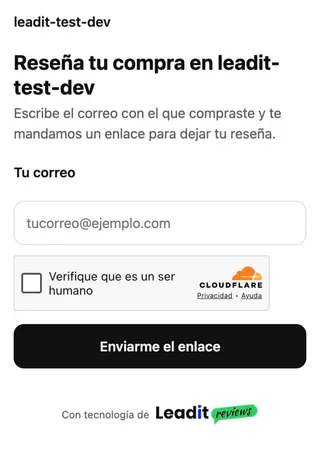
Section titled “How it works”- Your customerScans the QRA page opens with your store's logo and colors.
- Your customerEnters their emailThe same one they bought with.
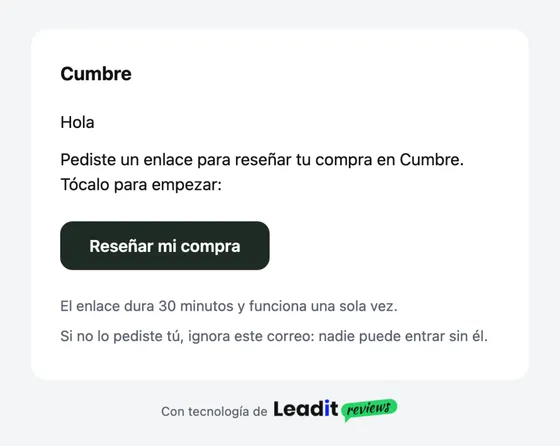
- Leadit ReviewsWe send their linkIf that email has an order to review, they get an email with a button.
- Your customerThey leave a reviewIn the usual form, as a verified purchase.
The button in the email opens a page with their orders to review; they pick one and go into the form. Since the link comes from a real order, the review carries the verified purchase badge and follows your publishing rules.
Where to find it
Section titled “Where to find it”-
In the app, open Channels and scroll down to Public link and QR.
-
Copy Your link for your bio or your signature:
reviews.leadit.tech/s/…. -
Download the QR: PNG for your social media or a digital design, SVG for the printer (it stays sharp at any size).
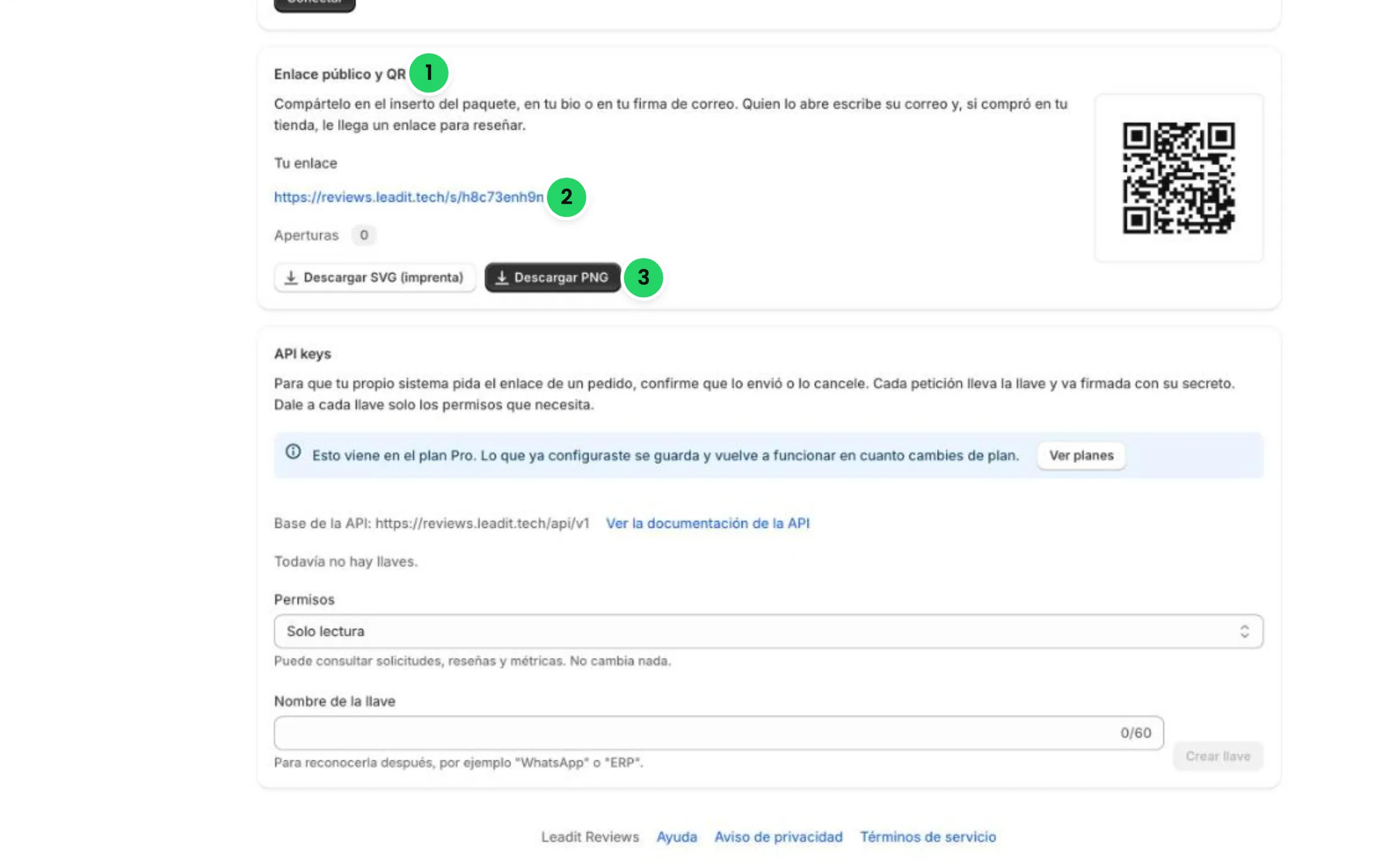
Right there you see how many times your link has been opened, in Opens.
To print it well
Section titled “To print it well”- At least 2 cm (¾ in) per side. Bigger reads better from far away.
- Keep the white margin around the code: the camera needs it to find it.
- Light background and dark code. Don’t invert it or put a photo behind it.
- Add a short line next to it, for example: “Liked it? Tell us in 1 minute”.
- Test it with your phone before sending it to print.
The QR can handle a smudged or folded corner, and it never changes: you can print it on thousands of boxes.
My customer entered their email and got nothing. They only get it if that email has an order to review in your store, with its link still valid. The page says the same thing in every case, so it doesn’t reveal who bought and who didn’t. If they bought with another email, they should try that one.
The link they got doesn’t work anymore. It lasts 30 minutes and works only once. They should scan the QR again and ask for another one.
Does it count as one more order on my plan? No. The QR takes your customer to their order’s request, which already existed.